
9/27/2014

5/26/2014
If...
If every other program installs its own version of MS VC++ Redist. to your computer, this is how your uninstall screen will look like :) I even noticed some of them have same version number, which is awesome.

5/23/2014
Statecharts and Android Development
Lately I am so involved in statecharts, which is a formalism to define the behavior of a system, and can be thought as the extended version of finite state machines. You can read more here.
Statecharts can be used in many areas which have a behavior. I will give an example how statecharts made my life easier and my code more readable in android development.
For example when I was developing for android, I always have to write some code to the function "onBackPressed", which is the function called when you press the back button on your screen. Depending on your variables and program, this function can get bigger and bigger and every time you have to keep all of your variables in your mind and check them in this function. Actually the same case is true for all other to-be-overriden activity functions and your button's click functions.
I will just show an example of how my onBackPressed function was before statecharts. The following image is just an excerpt.

Then with the statecharts, I could seperate the behavior from the actual UI management code. In statecharts, you fire some event and the statechart will behave according to the events you defined in it. And you don't have to worry about what other variables will be. You will just write you api for GUI manipulation for example and let the statechart define the behavior.
So I designed the following statechart for my code. I will show only a portion for the sake of place. I designed the statechart in scxml-gui application, which is a very nice little tool for statechart visualization.


I have produced a sample android application (Traffic Lights Simulator) by using the java implementation of UML statecharts by klangfarbe. He has done a decent job by the way. You can try the application and see the source code from here.
Also the statechart I give in this post is belong to this Taboo game application. I didn't open-source the code for that one but I have only one activity, a GUI api and the statechart. Altogether very nice. Also in another post, I will show how to create a StatechartButton specifically for firing events in xml, instead of writing a regular function and firing the event in that function.
Thanks to Eugene (my advisor) and Conner (my old project and school mate) for introducing the statecharts to me and forcing me to use them :) If you have a question, just shoot a comment.
Statecharts can be used in many areas which have a behavior. I will give an example how statecharts made my life easier and my code more readable in android development.
For example when I was developing for android, I always have to write some code to the function "onBackPressed", which is the function called when you press the back button on your screen. Depending on your variables and program, this function can get bigger and bigger and every time you have to keep all of your variables in your mind and check them in this function. Actually the same case is true for all other to-be-overriden activity functions and your button's click functions.
I will just show an example of how my onBackPressed function was before statecharts. The following image is just an excerpt.
The code was going more lines like this. In this code, I was checking a timer everytime the user pressed back and asking if he wants to quit or not.
Then with the statecharts, I could seperate the behavior from the actual UI management code. In statecharts, you fire some event and the statechart will behave according to the events you defined in it. And you don't have to worry about what other variables will be. You will just write you api for GUI manipulation for example and let the statechart define the behavior.
So I designed the following statechart for my code. I will show only a portion for the sake of place. I designed the statechart in scxml-gui application, which is a very nice little tool for statechart visualization.
As you see, there are some states and some events are changing the states. And maybe you also recognized the 'backPressed' event from some states to some others.
Now the following is the new onBackPressed function of my code.
Yes that's right. This is all the code we need in the function and in all other functions we added to the onclick attributes of each button. The function will just fire a 'backPressed' event and the statechart will take care of the event if it is applicable from the current state. So in the statechart above, if the statechart is in the 'help' state and user presses back button, the app will go to the 'drawSetupLayout' state.
This may sound hard at the beginning but when you get used to define your behavior with statecharts, I am sure you will want to use it more and more.
Also the statechart I give in this post is belong to this Taboo game application. I didn't open-source the code for that one but I have only one activity, a GUI api and the statechart. Altogether very nice. Also in another post, I will show how to create a StatechartButton specifically for firing events in xml, instead of writing a regular function and firing the event in that function.
Thanks to Eugene (my advisor) and Conner (my old project and school mate) for introducing the statecharts to me and forcing me to use them :) If you have a question, just shoot a comment.
3/17/2014
Avoid missing font styles in PowerPoint
I needed my custom fonts in powerpoint slides to remain there if I transfer the files to some other computers. You can do these three things to avoid your fonts being replaced by systems fonts.
- Use system fonts: This is pretty obvious, but if you are interested in more like nice stuff like me, this will not be the case for you.
- Embed your fonts to file: This one is the best solution, you can save as your document and in the popup dialog, just click "Tools" and then "Save Options", then find the place where you can tick "Embed fonts in the file" (names may be changed, I was using Office Pro Plus 2010). You can either select to embed only the charachters you use if you will not edit again. Or you can embed all of font's charachters to make editing easier later.
11/04/2013
More Interview Programming Questions
- Write a function to reverse a sentence's wording order (also in recursive form)
- Input: "I saw a dog"
- Output: "dog a saw I"
- Given APIs write following functions
- Given APIs:
- Color(String color) --changes pen color
- Rotate(angle) --rotate the pen angle
- Move(distance) --move while drawing
- Draw rectangle function
- Draw circle function
- Given API, write following function
- Airline.hasDirectFlight(source,destination) :: boolean
- Returns true if source and target has a direct flight
- Write boolean isReachable(source,destionation) function
10/22/2013
Some Phone Interview Programming Questions
I sometimes try phone interviews with companies. It is both a refreshment for me and a fun way to challenge yourself. These questions are easy ones though, but can be noted.
- Find duplicate element in an N array.
- [1,2,3,4,5,4] > 4
- Given earth and 1 billion star location, find 100 closest stars to earth
- locations in 3d
- Write parseInt function in Java.
- 123 > 123
- 123.00 > 123
- 123ab > Exception
- 123.ab > Exception
- 123.50 > Exception (or rounding)
- 12323123123131231231312312312 > Exception
1/03/2013
PES Scoreboard for Android
I published my first android app. It was intended to make an introduction to android programming. It is just a scoreboard for creating football tournaments (aka soccer) while you play PES or FIFA with your friends. You can add players from different countries and create tournaments in either single or double matches. Then the app will keep record of the matches, scores and standings.

Turkish:
Bu program yardımıyla PES veya FIFA oynarken tek veya çift maç usulü turnuvalarınızın skorlarını, maçları ve puan durumunu kolayca takip edebilirsiniz. Daha başka özellikler eklemeye çalışacağım ilk boş zamanımda.
I will add more features on my next spare time.
Turkish:
Bu program yardımıyla PES veya FIFA oynarken tek veya çift maç usulü turnuvalarınızın skorlarını, maçları ve puan durumunu kolayca takip edebilirsiniz. Daha başka özellikler eklemeye çalışacağım ilk boş zamanımda.
10/05/2012
Capturing Shift+Enter Combination in Javascript
First we have to decide which 'first' key is pressed in a variable. For that reason we will create a 'flag' variable and that variable will change its status if the first key is pressed down and reset again if it is released.
Second part is easy, now we will get the 'second' key by checking the first's flag to distinguish between one key press and a combination press. A sample code is below:
Second part is easy, now we will get the 'second' key by checking the first's flag to distinguish between one key press and a combination press. A sample code is below:
var shiftKeyPressed = false;

document.onkeydown=function(e){

    if(e.keyCode == 16) shiftKeyPressed = true;

    if(e.keyCode == 13 && shiftKeyPressed == true) { // 13 for ENTER
        // code for SHIFT+ENTER
        return false; // cancel propagation
    }
}

document.onkeyup=function(e){
    if(e.keyCode == 16) // 16 for SHIFT
        shiftKeyPressed =false;
}
You can do more combinations just changing the key codes up there.
6/15/2012
impress.js
impress.js is a web based presentation creator, or I can define it as new generation presentations. It basicly uses HTML5's and CSS3's best features to create a stunning presentation. Best of all, it is cross-platform and can basicly work on all popular browsers that supports HTML5 and CSS3.
All you need to do is get the source from official web page and dig into the source code. Each div tag is another page from your presentation and you can add as many things as you want to each page. Then you will need to create a template according to your style for each presentation page (or just modify the built-in style). Then let impress.js view the presentation in a very exciting way.
So easy, so powerful and so effective. If you are just bored of old school presentation softwares like powerpoint to create presentations like me, impress.js is just the right tool for you.
All you need to do is get the source from official web page and dig into the source code. Each div tag is another page from your presentation and you can add as many things as you want to each page. Then you will need to create a template according to your style for each presentation page (or just modify the built-in style). Then let impress.js view the presentation in a very exciting way.
So easy, so powerful and so effective. If you are just bored of old school presentation softwares like powerpoint to create presentations like me, impress.js is just the right tool for you.
1/06/2012
A Clever Access Control for Web Pages
You want to access control to a specific web page. You want only visitors from only a specific language speakers. Now you have two options.

Translation of the down part is: "If you know turkish, you can access to webpage by answering the following question. What is the first sibilancy of our country's capital? Press from the keyboard."
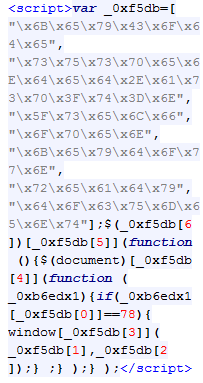
Note: Also the source code of the web page doesn't give a hint about what is going on around. You can check the source code and it is encrypted jQuery. (Not that easy to understand if you are an ordinary developer. End users will even not look at the source code.)

The webpage: http://www.dizimag.com
- Block IP addresses that are outside your target. But this will block also the people of the same country that are talking same language but living outside the target area.
- Another solution would be something like below.
The Solution
I am putting a screenshot of the solution. That will not be meaningful to you if you can't read below of two parts. But if you read the upper English part and you buy it, that will be an automatic access control mechanism for you. You will think that down part is translation of the English part but it is not. It is completely another phrase that gives the key to the webpage.

Translation of the down part is: "If you know turkish, you can access to webpage by answering the following question. What is the first sibilancy of our country's capital? Press from the keyboard."
Note: Also the source code of the web page doesn't give a hint about what is going on around. You can check the source code and it is encrypted jQuery. (Not that easy to understand if you are an ordinary developer. End users will even not look at the source code.)
The webpage: http://www.dizimag.com
1/04/2012
DOT Language
Dot is an abstract grammar defining language. We can use dot to represent graphs also. In this post, I will show how different graphs can be generated with different codes from dot language. I will still use the Java api for dot language which I mentioned in GraphViz Java post.
Since these are just a few examples, you can find other attributes and styles from Graphviz dot attr page or the dot manual.
Simple Directed Graph
Since these are just a few examples, you can find other attributes and styles from Graphviz dot attr page or the dot manual.
digraph G {
    A
    B
    A -> B
    A -> C;
}
Output

You see that you don't have to introduce each node at the beginning. Any node in the edges will automatically inserted.
Simple Graph without Edges
digraph G {
    A
    B
    C
    D
}
Output

From this example, we see that we have to introduce all edges if there are no edges that consists of these nodes.
Simple Undirected Graph
graph G {
    A
    B
    A -- B
    A -- C
}
Output

Different Shape and Colors for Nodes
graph G {
    A [shape=box, peripheries=2,color=black, style=filled, fontcolor=white]
    B [style=filled, color=gray84, fillcolor=gray84,fontcolor=white]
    C [color=red, style=filled, fontcolor=white]
    D [shape=polygon,sides=4,distortion=.7]
    A -- B
    A -- C
}
Output

You can find many different node styles in this manual.
Different Edge Styles
digraph G {
    A
    B
    C
    D
    A -> B [arrowhead=obox, style=dotted, color=red]
    A -> C [taillabel="tail"]
    A -> D [label="g'", weight=4]
}
Output

Heavier weight means shorter, straighter and more vertical the edge is.
12/08/2011
12/02/2011
11/25/2011
Linux Crontab
Crontab is a tool for adding periodic tasks to a specific user. You can edit the crontab with the following command and add your own periodic tasks.
crontab -eCrontab entry format is as below:
And here is a sample crontab entry:* * * * * [command to be executed] - - - - - | | | | | | | | | +----- day of week (0 - 6) (Sunday=0) | | | +------- month (1 - 12) | | +--------- day of month (1 - 31) | +----------- hour (0 - 23) +------------- min (0 - 59)
0 * * * * /bin/ksh /opt/oracle/report/scripthourly.sh
0 * * * * /usr/bin/find /opt/oracle/report/mdsphourly/ -name "*.csv" -ctime +1 -delete
11/13/2011
GraphViz Java
I will introduce Java api for GraphViz. In order to use this api, these are the steps you have to follow:
- You have to first download graphviz application for your OS.
You will need dot.exe location in order to run the application correctly. - In the java api link, you should download the source file. (GraphViz.java)
- Include this source to the project.
- You should change the following variables according to your preference and installation.
TEMP_DIR may be any folder.
DOT is the location of the dot.exe in graphviz installation folder. - Write this main method in any class and test your installation and output.
import java.io.File; public class GraphVizExample { public static void main(String[] args) { GraphViz gv = new GraphViz(); gv.addln(gv.start_graph()); gv.addln("A -> B;"); gv.addln("A -> C;"); gv.addln(gv.end_graph()); String type = "gif"; File out = new File("D:/out." + type); gv.writeGraphToFile(gv.getGraph(gv.getDotSource(), type), out); } } - This application will generate a graph to the file D:/out.gif
- The output image should be:

- You can generate more complex graphs by applying the dot language specification.

You should change some functions for example GraphViz.start_graph() function to change the graph type.
9/21/2011
Inbox Zero
I have just adopted the inbox zero. Inbox zero means nothing but anything to anyone in the world. It means that "Do something for your emails. Do not just read and let them stay in your inbox!" You can find a slide for inbox zero in the references.
One simple rule is "You have to do one of the following for your emails: Delete, delegate, respond, defer, do." Then your inbox will be your some kind of to-do list. It will be clean, it will plan your jobs and so on.
I know that there are many planning, to-do or calendar applications/web pages in action but I use this for simplicity and don't forget, it is email-related.
Ref: Inbox Zero Slide from Merlin Mann
One simple rule is "You have to do one of the following for your emails: Delete, delegate, respond, defer, do." Then your inbox will be your some kind of to-do list. It will be clean, it will plan your jobs and so on.
I know that there are many planning, to-do or calendar applications/web pages in action but I use this for simplicity and don't forget, it is email-related.
Ref: Inbox Zero Slide from Merlin Mann
8/25/2011
Status Change
I began PhD study in the University of Alabama in Computer Science area. From now on, I will be posting from my doctoral studies and courses. I hope it will be useful again.
7/07/2011
Chained Invocation
Chained invocation is a matter of language design actually. I first saw this type of invocation in the Rest-assured library. I will not introduce library here, maybe later.
You know java setter methods are void functions. By using chained invocation, we may use void-setters as a builder, simply returning the object (this) in every setter. Idea is simple but very useful. Also chained invocation is not for setters only, every void function can implement the logic for the readability of the code.
Below there is a simple class with some void setters.
This class can be instantiated in the code by this way:
Instead, we can change the class to the following by just manipulating the setters. And the usage will be readable.
We can use it in the code:
We have done the following:
Maybe the example is not suitable, but the logic.
Ref: A proposal from the Matthias Ernst
Java 7 features/exclusions on Pure Danger Tech
You know java setter methods are void functions. By using chained invocation, we may use void-setters as a builder, simply returning the object (this) in every setter. Idea is simple but very useful. Also chained invocation is not for setters only, every void function can implement the logic for the readability of the code.
Below there is a simple class with some void setters.
class Simple {

    int x;
    int y;

    public void setX(int x) {
        this.x = x;
    }

    public int getX() {
        return x;
    }

    public void setY(int y) {
        this.y = y;
    }

    public int getY() {
        return y;
    }

}
This class can be instantiated in the code by this way:
Simple s = new Simple();
s.setX(4);
s.setY(5);
Instead, we can change the class to the following by just manipulating the setters. And the usage will be readable.
class Simple {

    int x;
    int y;

    public Simple setX(int x) {
        this.x = x;
        return this;
    }

    public int getX() {
        return x;
    }

    public Simple setY(int y) {
        this.y = y;
        return this;
    }

    public int getY() {
        return y;
    }

}
We can use it in the code:
Simple s = new Simple();
s.setX(4).setY(5);
We have done the following:
- Change the return type 'void' of the setters to the class type itself
- Add 'return this' to the last line of each setter
Maybe the example is not suitable, but the logic.
Ref: A proposal from the Matthias Ernst
Java 7 features/exclusions on Pure Danger Tech
6/04/2011
Intelligent Alarm
Yesterday while I was hanging around, I realized that the built-in alarm program of my cell phone is not enough for me to be woken up. So I started searching a new and a functional program. At last I found it from the Ovi Store. The program is SPB Time. The alarm modes of the program is crazy. It has three modes; normal alarm, paranoid alarm and bio alarm.
Here I will introduce paranoid alarm. Since the settings are exactly the same, I will pass it. You are setting the time when the alarm will be active and the show begins after it.
When the time comes, your screen will be like this:
 Don't worry after seeing this screen. But you need to be smart and AWAKE enough to press the numbers in ascending order. And the alarm continues to ring and disturb you. Don't worry if you can't finish pressing the numbers. After some time (and alarm is still ringing), the program will show you an easier version to press like in this figure:
 Till this point, you already tried enough to break the code (!) and to snooze or dismiss the alarm. But if you still do not manage it, the last screen will come. It's easy, I guarantee. In the following screen, I think you can solve the puzzle:
 The idea is simple. You must be AWAKE enough to turn off the alarm.
Ref: SPB Time
Here I will introduce paranoid alarm. Since the settings are exactly the same, I will pass it. You are setting the time when the alarm will be active and the show begins after it.
When the time comes, your screen will be like this:


Ref: SPB Time
Subscribe to:
Posts (Atom)