10/05/2012

Capturing Shift+Enter Combination in Javascript

First we have to decide which 'first' key is pressed in a variable. For that reason we will create a 'flag' variable and that variable will change its status if the first key is pressed down and reset again if it is released.
Second part is easy, now we will get the 'second' key by checking the first's flag to distinguish between one key press and a combination press. A sample code is below:


var shiftKeyPressed = false;

document.onkeydown=function(e){
    
    if(e.keyCode == 16) shiftKeyPressed = true;
    
    if(e.keyCode == 13 && shiftKeyPressed == true) { // 13 for ENTER
        // code for SHIFT+ENTER
        return false; // cancel propagation
    }
}

document.onkeyup=function(e){
    if(e.keyCode == 16) // 16 for SHIFT
        shiftKeyPressed =false;
}
You can do more combinations just changing the key codes up there.

6/15/2012

impress.js

impress.js is a web based presentation creator, or I can define it as new generation presentations. It basicly uses HTML5's and CSS3's best features to create a stunning presentation. Best of all, it is cross-platform and can basicly work on all popular browsers that supports HTML5 and CSS3.

All you need to do is get the source from official web page and dig into the source code. Each div tag is another page from your presentation and you can add as many things as you want to each page. Then you will need to create a template according to your style for each presentation page (or just modify the built-in style). Then let impress.js view the presentation in a very exciting way.

So easy, so powerful and so effective. If you are just bored of old school presentation softwares like powerpoint to create presentations like me, impress.js is just the right tool for you.

1/06/2012

A Clever Access Control for Web Pages

You want to access control to a specific web page. You want only visitors from only a specific language speakers. Now you have two options.
  • Block IP addresses that are outside your target. But this will block also the people of the same country that are talking same language but living outside the target area.
  • Another solution would be something like below.
The Solution
I am putting a screenshot of the solution. That will not be meaningful to you if you can't read below of two parts. But if you read the upper English part and you buy it, that will be an automatic access control mechanism for you. You will think that down part is translation of the English part but it is not. It is completely another phrase that gives the key to the webpage.


Translation of the down part is: "If you know turkish, you can access to webpage by answering the following question. What is the first sibilancy of our country's capital? Press from the keyboard."

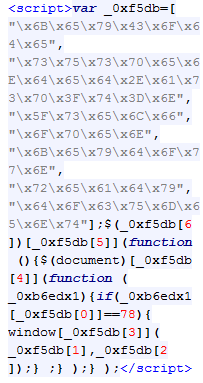
Note: Also the source code of the web page doesn't give a hint about what is going on around. You can check the source code and it is encrypted jQuery. (Not that easy to understand if you are an ordinary developer. End users will even not look at the source code.)


The webpage: http://www.dizimag.com

1/04/2012

DOT Language

Dot is an abstract grammar defining language. We can use dot to represent graphs also. In this post, I will show how different graphs can be generated with different codes from dot language. I will still use the Java api for dot language which I mentioned in GraphViz Java post.
Since these are just a few examples, you can find other attributes and styles from Graphviz dot attr page or the dot manual.

Simple Directed Graph
digraph G {
    A
    B
    A -> B
    A -> C;
}
Output
Notes
You see that you don't have to introduce each node at the beginning. Any node in the edges will automatically inserted.

Simple Graph without Edges
digraph G {
    A
    B
    C
    D
}
Output
Notes
From this example, we see that we have to introduce all edges if there are no edges that consists of these nodes.

Simple Undirected Graph
graph G {
    A
    B
    A -- B
    A -- C
}
Output


Different Shape and Colors for Nodes
graph G {
    A [shape=box, peripheries=2,color=black, style=filled, fontcolor=white]
    B [style=filled, color=gray84, fillcolor=gray84,fontcolor=white]
    C [color=red, style=filled, fontcolor=white]
    D [shape=polygon,sides=4,distortion=.7]
    A -- B
    A -- C
}
Output
Notes
You can find many different node styles in this manual.

Different Edge Styles
digraph G {
    A
    B
    C
    D
    A -> B [arrowhead=obox, style=dotted, color=red]
    A -> C [taillabel="tail"]
    A -> D [label="g'", weight=4]
}
Output
Notes
Heavier weight means shorter, straighter and more vertical the edge is.

11/25/2011

Linux Crontab

Crontab is a tool for adding periodic tasks to a specific user. You can edit the crontab with the following command and add your own periodic tasks.
crontab -e
Crontab entry format is as below:
* * * * * [command to be executed]
- - - - -
| | | | |
| | | | +----- day of week (0 - 6) (Sunday=0)
| | | +------- month (1 - 12)
| | +--------- day of month (1 - 31)
| +----------- hour (0 - 23)
+------------- min (0 - 59)
And here is a sample crontab entry:
0 * * * * /bin/ksh /opt/oracle/report/scripthourly.sh
0 * * * * /usr/bin/find /opt/oracle/report/mdsphourly/ -name "*.csv" -ctime +1 -delete

11/13/2011

GraphViz Java

I will introduce Java api for GraphViz. In order to use this api, these are the steps you have to follow:

  • You have to first download graphviz application for your OS.
    You will need dot.exe location in order to run the application correctly.
  • In the java api link, you should download the source file. (GraphViz.java)
  • Include this source to the project.
  • You should change the following variables according to your preference and installation.
    TEMP_DIR may be any folder.
    DOT is the location of the dot.exe in graphviz installation folder.
  • Write this main method in any class and test your installation and output.
    import java.io.File;
    
    public class GraphVizExample {
        public static void main(String[] args) {
            GraphViz gv = new GraphViz();
            gv.addln(gv.start_graph());
            gv.addln("A -> B;");
            gv.addln("A -> C;");
            gv.addln(gv.end_graph());
    
            String type = "gif";
            File out = new File("D:/out." + type);
            gv.writeGraphToFile(gv.getGraph(gv.getDotSource(), type), out);
        }
    }
    
  • This application will generate a graph to the file D:/out.gif
  • The output image should be:
  • You can generate more complex graphs by applying the dot language specification.
You should change some functions for example GraphViz.start_graph() function to change the graph type.

9/21/2011

Inbox Zero

I have just adopted the inbox zero. Inbox zero means nothing but anything to anyone in the world. It means that "Do something for your emails. Do not just read and let them stay in your inbox!" You can find a slide for inbox zero in the references.
One simple rule is "You have to do one of the following for your emails: Delete, delegate, respond, defer, do." Then your inbox will be your some kind of to-do list. It will be clean, it will plan your jobs and so on.
I know that there are many planning, to-do or calendar applications/web pages in action but I use this for simplicity and don't forget, it is email-related.

Ref: Inbox Zero Slide from Merlin Mann